Searching wordpress personal website templates free usually means one thing: you want a professional-looking personal website without spending money upfront. Maybe you are a freelancer, student, job seeker, creator, consultant, photographer, designer, developer, or someone building a personal brand. You want a website that looks modern, loads fast, and is easy to edit.
A personal website is no longer optional. It is your online identity. The good news is you can start with free WordPress personal templates and still look premium. The key is choosing safe templates, using the right layout, and customizing it the smart way. In this guide, we will show what to look for, what to avoid, how to install and edit personal templates, and why ScriptRipple is the best place to get verified ready-made WordPress personal website templates for free and upgrade when you need more features.
Why You Need a Personal Website Today
Your Instagram or LinkedIn profile is not enough. A personal website gives you:
- A single place to show who you are and what you do
- A professional portfolio for clients or employers
- Strong trust when people search your name
- Better control over your content and brand
- A way to rank on Google for your skills and services
- A place to publish blogs and build authority
Even a simple one-page personal website can change how people perceive you.
What a Good Free Personal Website Template Should Include
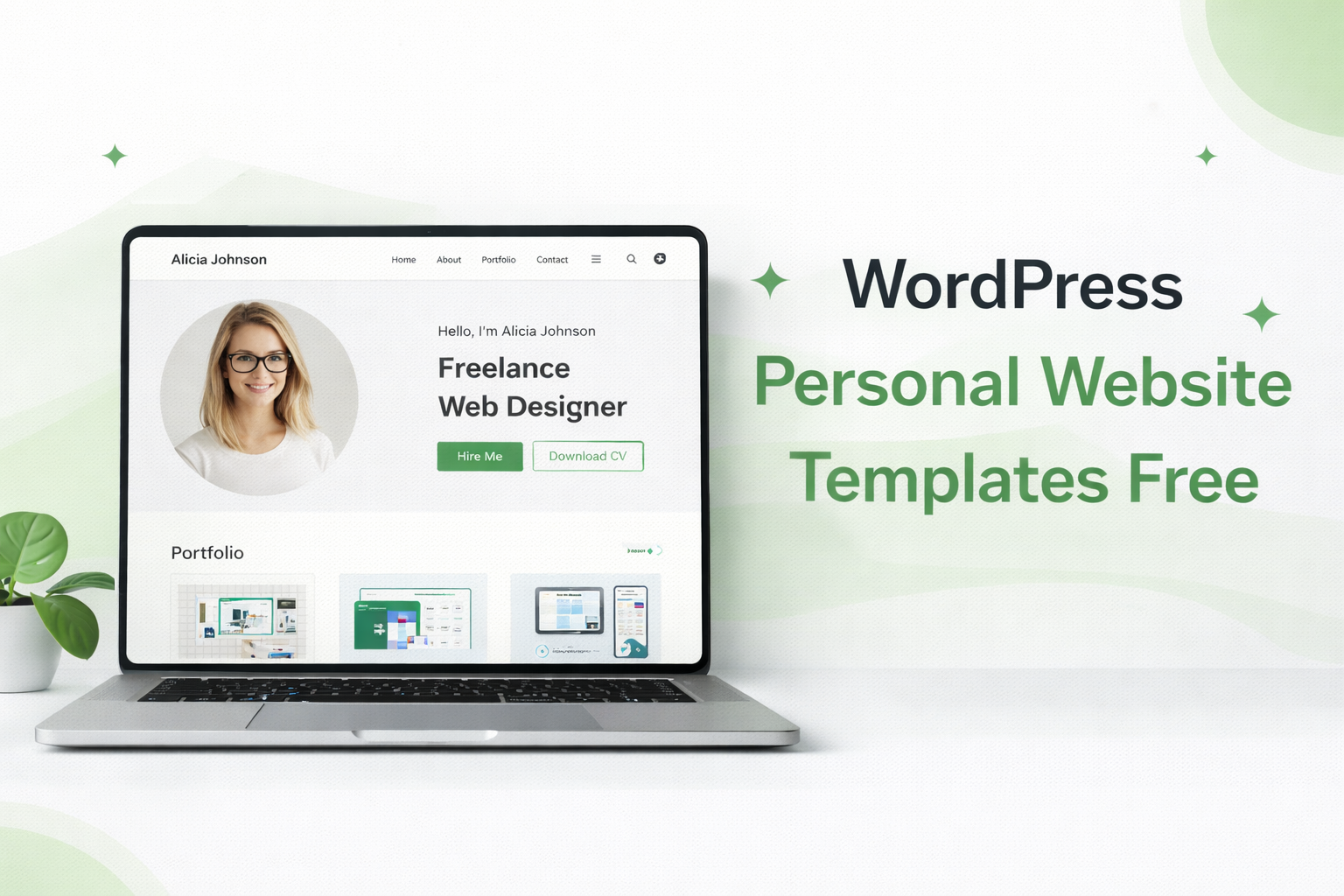
When you download a free template, do not focus only on the homepage design. Focus on structure and usability. The best personal WordPress templates usually include:
1) Strong hero section
- Your name and profession
- A short tagline that explains your value
- CTA buttons like “Hire Me” or “Download CV”
2) About section
- A short story, not a long paragraph
- Key achievements and skills
- A clean profile image
3) Skills or services
- Skill bars or icon blocks
- 4 to 8 strong points, not 30
4) Portfolio or projects
- Project cards with screenshots
- Short descriptions of your role
- Links to live sites or GitHub if relevant
5) Testimonials (optional but powerful)
- 3 short quotes
- Client name and role
6) Contact section
- Contact form
- Email and social links
- WhatsApp button if you use it for business
7) Mobile-friendly layout
Most visitors will come from mobile. If it is not responsive, it is not usable.
If a template includes these sections, it can look premium even if it is free.
What a Good Free Personal Website Template Should Include
When you download a free template, do not focus only on the homepage design. Focus on structure and usability. The best personal WordPress templates usually include:
1) Strong hero section
- Your name and profession
- A short tagline that explains your value
- CTA buttons like “Hire Me” or “Download CV”
2) About section
- A short story, not a long paragraph
- Key achievements and skills
- A clean profile image
3) Skills or services
- Skill bars or icon blocks
- 4 to 8 strong points, not 30
4) Portfolio or projects
- Project cards with screenshots
- Short descriptions of your role
- Links to live sites or GitHub if relevant
5) Testimonials (optional but powerful)
- 3 short quotes
- Client name and role
6) Contact section
- Contact form
- Email and social links
- WhatsApp button if you use it for business
7) Mobile-friendly layout
Most visitors will come from mobile. If it is not responsive, it is not usable.
If a template includes these sections, it can look premium even if it is free.
The Hidden Risk of Random Free Template Downloads
Many people searching wordpress personal website templates free end up downloading from random sites. This is risky.
- Some free templates contain malware or spam links
- Many templates are outdated and break in new WordPress versions
- Demo import does not work, so the site looks nothing like the preview
- No documentation, so beginners get stuck
- Licensing is unclear, especially when premium plugins are included illegally
That is why a marketplace like ScriptRipple matters. Instead of random downloads, you get structured files, previews, and documentation.
ScriptRipple: A Better Way to Get Free WordPress Personal Templates
ScriptRipple is a marketplace for ready-made websites, WordPress templates, scripts, and source code products. For personal websites, ScriptRipple offers:
- Free personal website templates that are safe to install
- Clean layouts designed for portfolio, resume, and personal brand
- Elementor-based designs for easy editing
- Setup documentation that normal users can follow
- Upgrade options when you want more pages, more layouts, or premium features
So if you are searching wordpress personal website templates free, ScriptRipple helps you start clean and stay safe.
Best Types of Free Personal WordPress Templates
Different people need different layouts. Choose based on your goal.
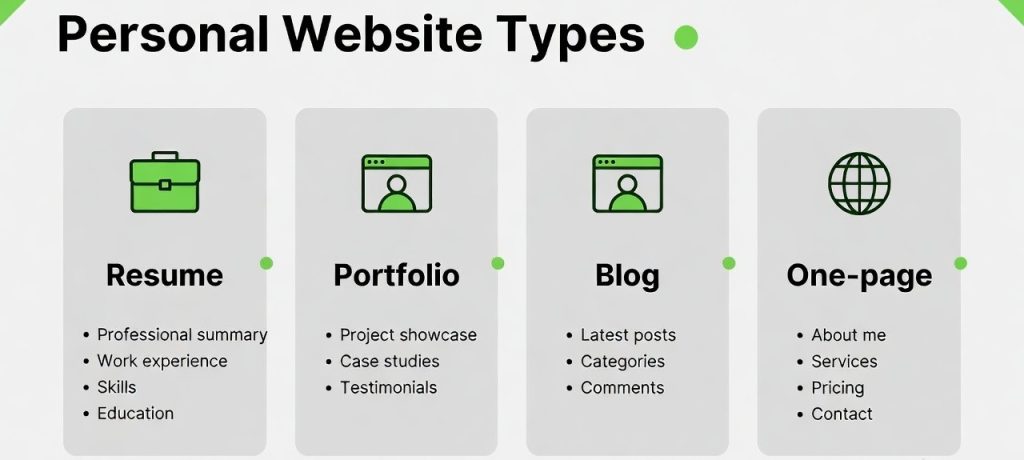
1) Resume and CV website template
Best for job seekers and professionals.
Includes: experience timeline, skills, education, downloadable CV button.
2) Freelancer portfolio template
Best for designers, developers, marketers.
Includes: projects grid, services, pricing blocks, testimonials.
3) Personal blog template
Best for creators and writers.
Includes: clean blog feed, category pages, author section, newsletter.
4) One-page personal website template
Best for simple, fast personal branding.
Includes: hero, about, skills, portfolio highlights, contact.
5) Photographer or creative template
Best for visual portfolio.
Includes: gallery sections, lightbox, categories, minimal typography.
ScriptRipple templates can support these layouts with free starter versions and premium upgrades.
How to Install a Free Personal Website Template in WordPress
Most ScriptRipple WordPress templates follow a simple process:
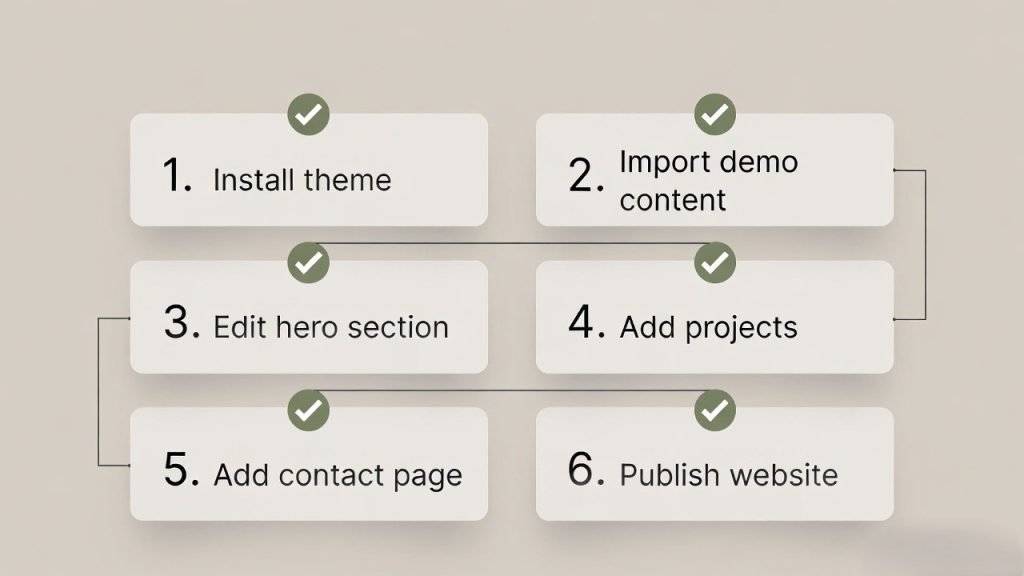
Step 1: Install WordPress
Install WordPress on your hosting or local environment.
Step 2: Install the theme or template package
Upload the theme ZIP in Appearance → Themes, then activate.
Step 3: Install required plugins
Common plugins:
- Elementor
- Contact form plugin
- Starter templates or import tool
Step 4: Import demo layout
Some templates include demo import files, Elementor templates, or XML content. Follow the documentation.
Step 5: Customize your content
Replace:
- Name, tagline, and CTA
- Profile photo
- About story
- Skills list
- Portfolio projects
- Contact details
Step 6: Publish and optimize
Set permalinks, add SEO plugin, and optimize images.
With a proper template, you can launch your personal website in one evening.
How to Install a Free Personal Website Template in WordPress
Most ScriptRipple WordPress templates follow a simple process:
Step 1: Install WordPress
Install WordPress on your hosting or local environment.
Step 2: Install the theme or template package
Upload the theme ZIP in Appearance → Themes, then activate.
Step 3: Install required plugins
Common plugins:
- Elementor
- Contact form plugin
- Starter templates or import tool
Step 4: Import demo layout
Some templates include demo import files, Elementor templates, or XML content. Follow the documentation.
Step 5: Customize your content
Replace:
- Name, tagline, and CTA
- Profile photo
- About story
- Skills list
- Portfolio projects
- Contact details
Step 6: Publish and optimize
Set permalinks, add SEO plugin, and optimize images.
With a proper template, you can launch your personal website in one evening.
How to Make a Free Personal Template Look Premium
This is the secret. The design is only 50 percent. Presentation is the other 50 percent.
1) Use a strong headline
Not “Welcome to my website.” Use:
- “UI Designer building clean, conversion-first interfaces”
- “Laravel Developer helping businesses ship faster”
- “Digital Marketer focused on growth and performance.”
2) Use a professional profile photo
A clean photo instantly upgrades the site.
3) Keep sections short
Short sections look modern. Long paragraphs look outdated.
4) Use consistent colors
Choose one primary color and use it across buttons and highlights.
5) Add real proof
- Project results
- Testimonials
- Tools you use
- Certifications or achievements
6) Keep it fast
Compress images and avoid heavy sliders. A fast website always feels premium.
SEO Tips for Personal Websites
A personal site can rank, especially for your name and profession.
- Use your full name in title tags and headings
- Add your profession and city if relevant
- Create a portfolio page with detailed project descriptions
- Add schema for Person or Organization if you want
- Publish blog posts on your niche
- Link your website in all social profiles
- Submit your site to Google Search Console
If you want freelance leads, SEO can be a long-term asset.
SEO Tips for Personal Websites
A personal site can rank, especially for your name and profession.
- Use your full name in title tags and headings
- Add your profession and city if relevant
- Create a portfolio page with detailed project descriptions
- Add schema for Person or Organization if you want
- Publish blog posts on your niche
- Link your website in all social profiles
- Submit your site to Google Search Console
If you want freelance leads, SEO can be a long-term asset.
Frequently Asked Questions
1) Are wordpress personal website templates free good enough for professional use?
Yes, if the template has clean layout, mobile responsiveness, and proper structure. Your content and presentation make the biggest difference.
2) Do I need Elementor to use these templates?
Many free personal templates are Elementor-based because editing is easier. Some use Gutenberg. Always check the template requirements.
3) Can I use a free personal template for freelancing and client work?
Yes, as long as the license allows commercial use. ScriptRipple listings should clearly mention usage rights.
4) What pages should my personal website include?
At minimum: Home, About, Portfolio or Projects, and Contact. If you blog, add a Blog page. If you offer services, add Services.
5) How do I add a CV download button?
Upload your CV PDF to the media library and link it to a button in the hero section. Most templates support CTA buttons already.
6) How can I make my portfolio stand out?
Show project outcomes, not only screenshots. Mention your role, tools used, and measurable results if possible.
7) Is it safe to download free templates from unknown websites?
It can be risky. Unknown sources may include malware or modified files. Use verified marketplaces like ScriptRipple for safer downloads.
8) How long does it take to launch a personal site with a template?
If the template is well packaged with demo import and documentation, you can launch in 1 to 3 hours.
Conclusion
If you are searching wordpress personal website templates free, the goal is not to download random files. The goal is to launch a clean, fast, professional personal website safely and quickly. ScriptRipple helps you do that with ready-made personal website templates that are simple to install, easy to edit, and designed for real-world portfolios, resumes, and personal brands.
Start free, publish fast, and upgrade only when you need more layouts, features, or premium support. Your personal website is your online identity. Build it with confidence.