Starting an e-commerce website is one of the most popular business ideas today. Whether you want to sell fashion products, electronics, digital items, handmade products, groceries, beauty items, or services, an online store can help you reach more customers and grow your business faster.
But building an e-commerce website from scratch can take time, money, and technical planning. You need product management, cart features, checkout pages, order tracking, payment integration, admin panels, customer accounts, security, and many other features. For many beginners, startups, students, and small businesses, this can feel expensive and complicated.
This is why many people search for a free PHP script for e-commerce website development.
A PHP ecommerce script can help you start faster because it already includes ready-made features. Instead of writing everything from zero, you can install a script, customize it, add products, and launch your online store more quickly.
However, free scripts also come with some risks. Not every free e-commerce script is secure, updated, or suitable for real business use. Some may have bugs, poor documentation, outdated code, or missing features. That is why it is important to understand what to look for before downloading or using any PHP e-commerce source code.
In this blog, we will explain what a PHP ecommerce script is, why people use it, its benefits, common features, risks, setup process, SEO tips, and how platforms like ScriptRipple can help users find better digital products, scripts, plugins, and website solutions.
What Is a PHP E-commerce Script?
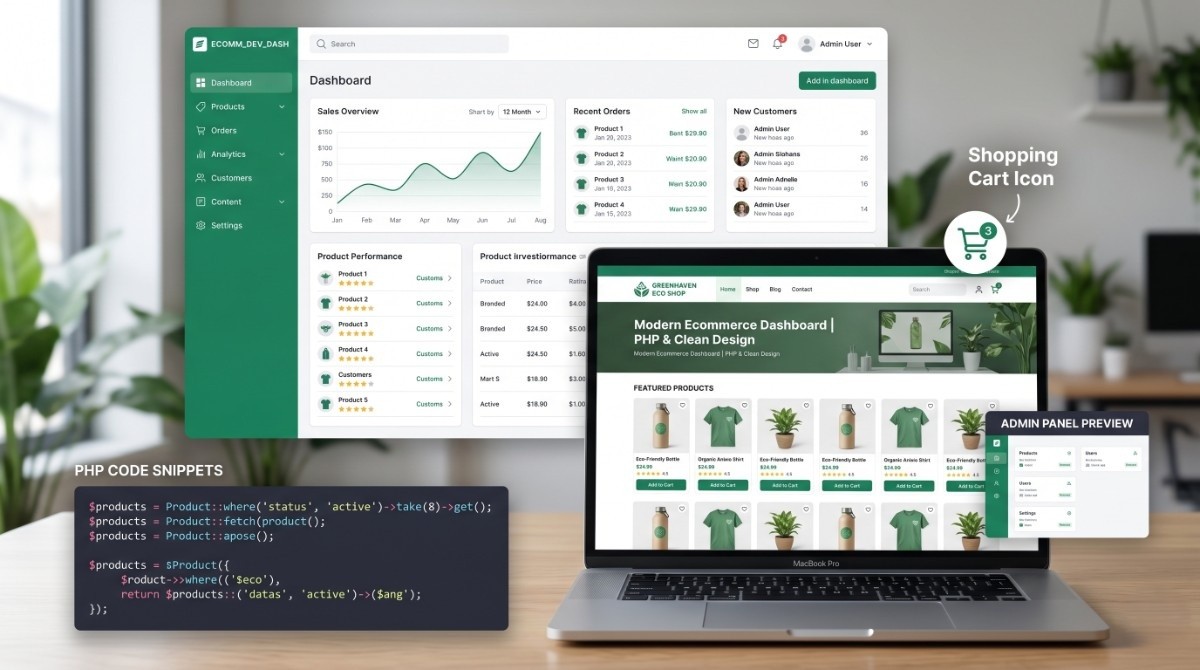
A PHP ecommerce script is a ready-made source code package that helps you create an online store. It is usually built with PHP and MySQL, and it includes common e-commerce features such as product listing, shopping cart, checkout, admin dashboard, order management, and customer login.
Instead of hiring a developer to build every feature from the beginning, you can use an e-commerce PHP script as a base.
A basic e-commerce script may include:
- Product add, edit, and delete options
- Product categories
- Shopping cart
- Checkout system
- Customer registration
- Admin login
- Order management
- Payment settings
- Product image upload
- Basic website pages
- Contact form
Advanced scripts may include coupon codes, shipping calculations, multi-vendor features, wallet systems, invoice generation, delivery tracking, and mobile-friendly design.
For beginners, a free PHP script for e-commerce website projects can be useful for learning, testing, and building a small online store demo.
Why People Search for Free PHP E-commerce Scripts
People search for free PHP e-commerce scripts for many reasons. Some want to learn coding. Some want to test a business idea. Some want to create a simple store without paying high development costs.
Let us look at the most common reasons.
Low Startup Cost
A free script reduces the initial development cost. This is helpful for students, small businesses, freelancers, and beginners who want to test an idea before investing money.
Faster Website Launch
Building an e-commerce system from scratch can take weeks or months. A ready-made PHP script can reduce development time and help you launch faster.
Learning Purpose
Many beginner developers download e-commerce scripts to understand how product management, cart systems, checkout pages, and admin panels work.
Easy Customization
PHP is widely used and easy to customize for many developers. If the script is clean, you can modify layout, features, database structure, and design based on your needs.
Business Testing
Before investing in a premium platform, a free script can help test a product idea, market demand, or store concept.
Simple Online Store Needs
Not every business needs a complex e-commerce system. Some small shops only need basic product display, cart, and order form features.
This is why the demand for PHP ecommerce scripts continues to grow.
Benefits of Using a Free PHP Script for an E-commerce Website
Using a free PHP e-commerce script can be helpful when used correctly. Here are the main benefits.
Saves Development Time
A ready-made script already has core e-commerce features. This saves time compared to building everything manually.
Beginner-Friendly for Developers
Developers who are learning PHP can study the code structure and understand real e-commerce logic.
Easy to Modify
PHP scripts are often easier to customize compared to closed platforms. You can change the design, database, features, and functions if you have development knowledge.
Good for Small Projects
For a small product store, demo project, college project, or basic business website, a free e-commerce script may be enough.
No Monthly Platform Fee
Unlike some hosted e-commerce platforms, a PHP script can be hosted on your own server. This gives more control over hosting and files.
Full Source Code Access
When you use a PHP e-commerce script, you usually get access to the source code. This allows deeper customization.
Useful for MVP Development
If you are building a minimum viable product, a ready-made script can help you launch quickly and validate the idea.
A free PHP script for an e-commerce website can be a smart starting point, especially when the goal is learning, testing, or basic setup.
Important Features to Look for in an E-commerce PHP Script
Before downloading or using any script, check whether it includes the right features. A beautiful design is not enough. The script must be practical, secure, and easy to manage.
Product Management
You should be able to add, edit, delete, and organize products easily. Product fields should include title, description, price, images, stock status, and category.
Category Management
Categories help customers browse products faster. A good script should allow parent and child categories.
Shopping Cart
The cart should allow users to add products, update quantity, remove items, and view total cost.
Checkout System
Checkout should be simple and user-friendly. It should collect customer name, email, phone, address, payment method, and order details.
Admin Dashboard
A strong admin panel is very important. It should allow store owners to manage products, orders, customers, banners, coupons, and settings.
Customer Login
Customer accounts help users track orders, save addresses, and manage purchases.
Order Management
The admin should be able to view orders, update order status, print invoices, and contact customers.
Payment Gateway Integration
A good e-commerce script may support payment gateways like PayPal, Stripe, Razorpay, or cash on delivery. If payment options are missing, you may need custom development.
Mobile Responsive Design
Most users shop from mobile devices. A responsive layout is necessary.
SEO-Friendly Structure
The script should support clean URLs, meta titles, meta descriptions, product slugs, image alt text, and fast page loading.
Security Features
Security is critical in e-commerce. Look for input validation, password hashing, CSRF protection, secure file upload, and protection from SQL injection.
Coupon and Discount System
Coupons help increase sales and run promotions.
Inventory Management
Stock control helps avoid selling unavailable products.
A script with these features is more useful for real e-commerce projects.
Free vs Premium PHP Ecommerce Scripts
Many users wonder whether they should use a free script or buy a premium e-commerce script. Both options have advantages and disadvantages.
Free PHP E-commerce Script
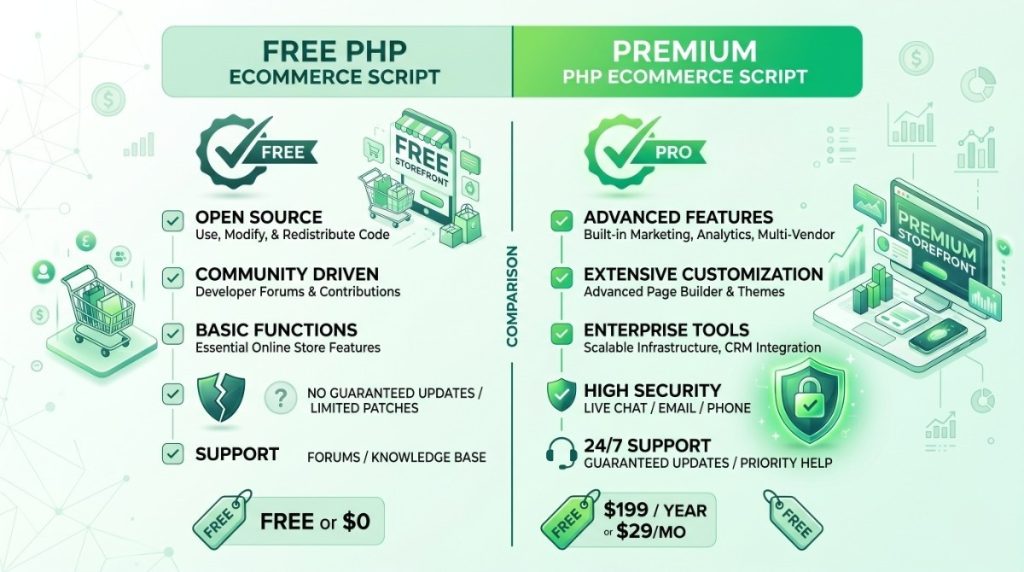
A free script is good for learning, testing, and small projects. It can save money in the beginning, but it may not always be reliable for real business use.
Common advantages:
- No purchase cost
- Good for learning
- Easy to test
- Useful for small demos
- Full code access
Common disadvantages:
- May have security issues
- May not include support
- May be outdated
- May have poor documentation
- May not include advanced features
- May not be suitable for live business
Premium PHP E-commerce Script
A premium script usually comes with better features, documentation, updates, and support. It is more suitable for serious businesses.
Common advantages:
- Better design quality
- More features
- Regular updates
- Support from seller
- Cleaner documentation
- Better security focus
- More professional setup
Common disadvantages:
- Requires payment
- May still need customization
- Quality depends on seller
If you are only learning, free scripts are fine. But if you are launching a real business, a premium or verified script from a trusted marketplace like ScriptRipple is usually a smarter choice.
Why ScriptRipple Is a Smart Place to Explore E-commerce Scripts
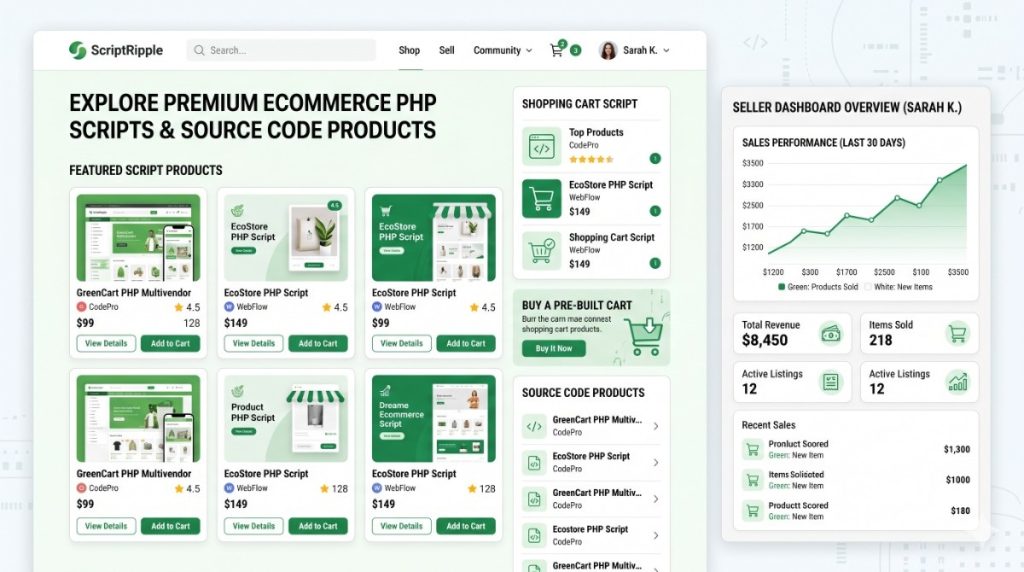
ScriptRipple is a digital marketplace where users can explore and sell scripts, plugins, themes, templates, apps, and other digital products. For developers and business owners, it can be a useful place to find ready-made solutions and discover e-commerce scripts.
Here is why ScriptRipple is a strong option.
Focused on Digital Products
ScriptRipple is built for digital assets. That makes it different from general marketplaces. Buyers can explore products related to websites, source code, scripts, plugins, and development solutions.
Useful for Developers and Business Owners
Developers can sell their scripts, and business owners can find ready-made products for faster website development.
H3: Supports Multiple Categories
You can explore different digital products such as:
- PHP scripts
- WordPress themes
- WordPress plugins
- HTML templates
- Mobile app source code
- Website tools
- Ready-made website solutions
Good for Selling E-commerce Source Code
If you are a developer with an e-commerce PHP script, ScriptRipple gives you a platform to list and sell your product online.
Better Opportunity for New Sellers
In highly crowded marketplaces, new sellers may struggle to get noticed. ScriptRipple gives growing creators an opportunity to showcase their products in a focused digital marketplace.
Helpful for Buyers Looking for Ready-Made Solutions
For buyers searching for e-commerce source code, ScriptRipple can help them discover ready-made scripts faster.
If you are searching for a free PHP script for an e-commerce website, ScriptRipple can also help you explore related products and compare different script options before choosing the best fit.
How to Choose the Right PHP E-Commerce Script
Choosing the right script is important. A poor script can create problems later, especially if you plan to use it for a real online store.
Check the Code Quality
The script should have clean and organized code. Avoid scripts that are messy, confusing, or poorly structured.
Review the Features
Make sure the script includes the features your store needs. Do not choose only based on design.
Check Documentation
Good documentation saves time. It should explain installation, database setup, admin login, configuration, and customization steps.
Test the Demo
If a demo is available, test it properly. Check product pages, cart, checkout, admin panel, mobile view, and page speed.
Check Security
Security should not be ignored. Avoid scripts that store plain passwords or use unsafe database queries.
Check Update History
A script that has not been updated for years may create compatibility issues.
Check Support Availability
If you are buying a premium script, check whether the seller provides support.
Check License Terms
Understand whether you can use the script for personal projects, client projects, commercial websites, or resale.
Good research before downloading or buying can save you from future problems.
How to Install a PHP E-commerce Script
The installation process depends on the script, but most PHP e-commerce scripts follow a similar process.
Step 1: Download the Script
Download the script from a trusted source or marketplace.
Step 2: Upload Files to Hosting
Upload the project files to your hosting server using cPanel File Manager or FTP.
Step 3: Create a Database
Create a MySQL database from your hosting control panel. Also create a database user and assign permissions.
Step 4: Import SQL File
Most scripts include a database file. Import it into your database using phpMyAdmin.
Step 5: Configure Database Connection
Open the configuration file and update database name, username, password, and host.
Step 6: Set Base URL
Some scripts require a base URL setting. Update it according to your domain.
Step 7: Check File Permissions
Make sure upload folders have proper permissions.
Step 8: Login to Admin Panel
Use the provided admin login details and change the password immediately.
Step 9: Add Products and Settings
Add your store logo, categories, products, payment methods, shipping details, and contact information.
Step 10: Test Before Going Live
Test checkout, email notifications, cart flow, mobile view, admin actions, and payment process.
Never launch an e-commerce website without testing.

Security Tips Before Using a Free E-Commerce Script
Security is one of the biggest concerns with free scripts. Since e-commerce websites handle customer information, you need to be careful.
Change Default Admin Login
Always change default usernames and passwords after installation.
Use HTTPS
Install an SSL certificate so your website runs on HTTPS.
Check Password Hashing
Make sure user passwords are stored securely using hashing.
Prevent SQL Injection
Avoid scripts that use unsafe SQL queries. Prepared statements are better.
Validate User Inputs
All form inputs should be validated and sanitized.
Secure File Uploads
If your script allows image uploads, restrict file types and prevent executable file uploads.
Remove Demo Data
Delete sample users, test products, and unnecessary demo files.
Update PHP Version
Use a supported PHP version on your hosting.
Backup Regularly
Take regular database and file backups.
Avoid Unknown Sources
Do not download scripts from suspicious websites. They may contain hidden malware or backdoors.
A free script can be useful, but only if you review and secure it properly.
SEO Tips for E-commerce Websites Built with PHP Scripts
An e-commerce website needs SEO to attract organic traffic. A good PHP script should support SEO-friendly features.
Use Clean URLs
Product URLs should be readable. For example:
/product/blue-cotton-shirt
This is better than:
/product.php?id=25
Add Unique Meta Titles and Descriptions
Each product and category page should have a unique meta title and description.
Optimize Product Content
Write original product descriptions. Do not copy supplier content.
Use Image Alt Text
Add descriptive alt text for product images.
Improve Page Speed
Compress images, use caching, and remove unnecessary scripts.
Add Schema Markup
Product schema can help search engines understand product details like price, availability, and reviews.
Create Blog Content
Blogs help bring traffic. You can write topics like buying guides, product comparisons, tips, and industry updates.
Use Internal Linking
Link products, categories, blogs, and related items naturally.
Make the Site Mobile-Friendly
Google gives strong importance to mobile experience.
A well-optimized e-commerce script can perform much better in search results.
Best Business Ideas Using a PHP E-commerce Script
A PHP e-commerce script can be used for many types of online stores.
Fashion Store
Sell clothing, shoes, bags, accessories, and lifestyle products.
Electronics Store
Sell mobile accessories, gadgets, computer parts, and home electronics.
Grocery Store
Build a local grocery delivery website with order management.
Digital Product Store
Sell ebooks, templates, courses, software, or downloadable files.
Beauty Product Store
Sell skincare, cosmetics, haircare, and personal care products.
Handmade Product Store
Sell crafts, gifts, home decor, and custom items.
Furniture Store
Showcase furniture products with inquiry or checkout options.
Multi-Vendor Marketplace
If the script supports multi-vendor features, you can create a marketplace where multiple sellers list products.
B2B Product Catalog
Use the script as a wholesale product catalog with inquiry features.
The right script can be customized for many business models.
When Should You Avoid a Free PHP Ecommerce Script?
A free script is not always the best choice. You should avoid using one in certain situations.
When You Need High Security
If your store will handle many payments and customer data, security must be a top priority. A random free script may not be safe enough.
When You Need Advanced Features
If you need multi-vendor features, advanced reporting, delivery management, vendor commission, or subscription systems, a basic free script may not be enough.
When You Need Long-Term Support
If there is no developer support, you may face problems later.
When the Script Is Outdated
Old scripts may not work properly with modern PHP versions.
When Documentation Is Missing
Without documentation, setup and customization become difficult.
When You Cannot Review the Code
If you do not have technical knowledge, using unknown free scripts can be risky.
For serious business use, it is better to choose a trusted marketplace product or hire a developer for review and customization.
How Developers Can Sell E-commerce PHP Scripts on ScriptRipple
If you are a developer, e-commerce scripts can be a profitable product category. Many buyers search for ready-made store solutions, shopping cart systems, and online store source code.
Here is how you can prepare and sell your script on ScriptRipple.
Build a Complete Product
Your script should include important e-commerce features like product management, cart, checkout, admin panel, order system, and responsive design.
Clean and Organize the Code
Remove unnecessary files and test data. Keep your folder structure simple.
Add Documentation
Include installation steps, database import guide, admin login details, customization notes, and feature explanations.
Create a Demo
A live demo helps buyers trust your product. Show both frontend and admin dashboard if possible.
Add Screenshots
Use attractive product screenshots, admin panel previews, checkout flow images, and mobile views.
Write an SEO-Friendly Product Title
Example titles:
- Complete E-commerce PHP Script with Admin Panel
- Online Shopping Website PHP Source Code
- PHP Shopping Cart Script for E-commerce Website
- Multi-Vendor E-commerce Script in PHP
Offer Clear Licensing
Explain whether the buyer can use the product for personal, commercial, or client projects.
Provide Updates
Regular updates increase buyer confidence and can improve sales.
ScriptRipple can help developers turn e-commerce source code into a digital product that can generate sales over time.
Frequently Asked Questions
1. What is a free PHP script for an e-commerce website?
A free PHP script for e-commerce website development is a ready-made source code package that helps you create an online store using PHP and MySQL. It usually includes features like product listing, cart, checkout, admin panel, and order management.
2. Is a free PHP e-commerce script safe to use?
It depends on the source and code quality. Some free scripts are useful for learning, but others may have security issues. Always check the code, update settings, change default passwords, use HTTPS, and avoid downloading scripts from unknown websites.
3. Can I use a free e-commerce PHP script for a real business?
You can, but it is not always recommended unless the script is secure, updated, and properly tested. For a serious business, a premium or verified script from a trusted marketplace like ScriptRipple is usually a better choice.
4. What features should an e-commerce PHP script include?
A good e-commerce PHP script should include product management, category management, shopping cart, checkout, customer login, admin dashboard, order management, payment options, mobile responsive design, and SEO settings.
5. Can I customize a PHP e-commerce script?
Yes. Since PHP scripts usually provide source code access, developers can customize design, features, database structure, payment gateways, and admin functions based on project needs.
6. Where can developers sell e-commerce PHP scripts?
Developers can sell e-commerce PHP scripts on digital marketplaces like ScriptRipple. It allows creators to list scripts, plugins, templates, themes, apps, and other digital products for buyers looking for ready-made solutions.
7. What is better, a free script or a premium e-commerce script?
A free script is good for learning and testing. A premium script is better for business use because it often includes better features, documentation, support, updates, and security improvements.
8. How can I make my PHP e-commerce website SEO-friendly?
Use clean URLs, unique meta titles, product descriptions, image alt text, fast-loading pages, mobile-friendly design, schema markup, and blog content. These improvements can help your e-commerce website rank better on Google.
A free PHP script for e-commerce website development can be a helpful starting point for beginners, students, developers, and small businesses. It can save time, reduce cost, and provide a ready-made structure for building an online store.
However, free scripts should be used carefully. Security, documentation, updates, and code quality matter a lot. If you are building a real e-commerce business, you should always test the script properly or consider using a trusted premium product.
For buyers, ScriptRipple is a useful marketplace to explore e-commerce scripts, source code, plugins, themes, and digital website solutions. For developers, it is also a great platform to sell e-commerce PHP scripts and build income from digital products.
Whether you are launching your first online store or creating a script to sell, the e-commerce script market has strong potential. Choose the right product, focus on quality, and use trusted platforms like ScriptRipple to grow smarter.